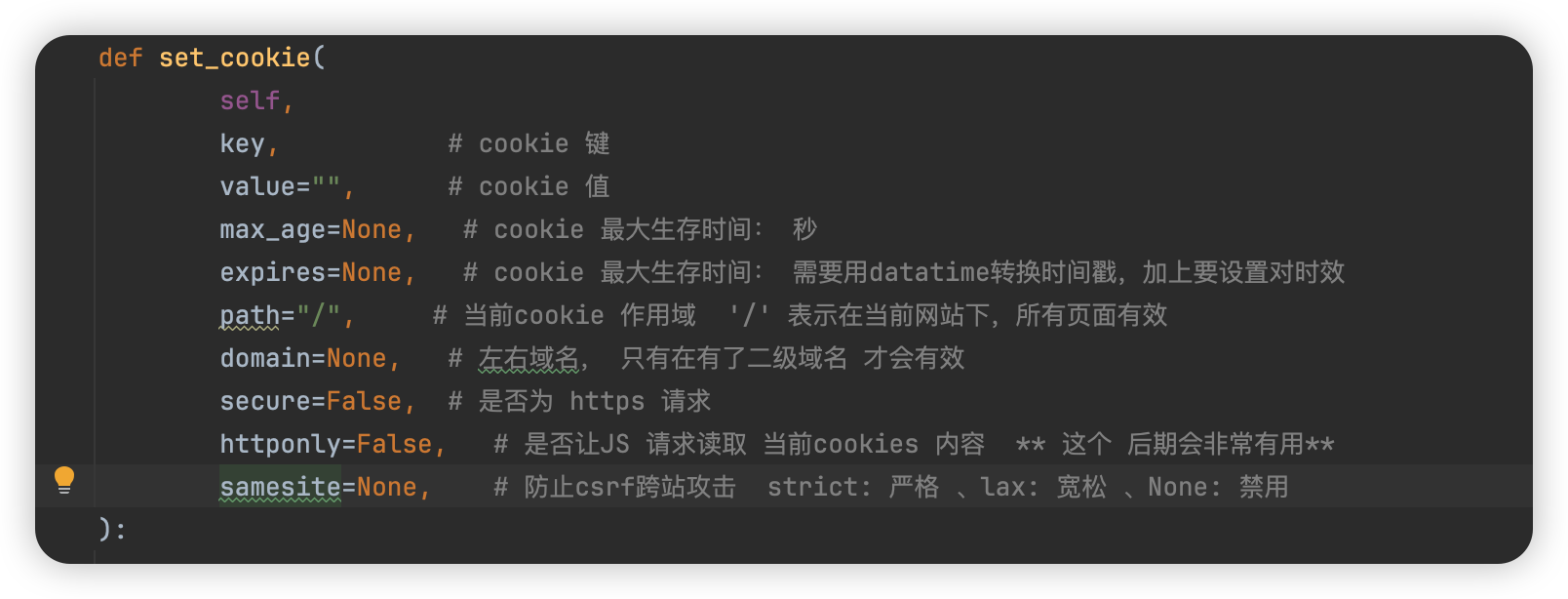
django-Cookie的配置与使用 发表于 2024-05-16 更新于 2025-06-09 分类于 Python , Django django Cookie的配置与使用 路由: urlpatterns = [ # path('admin/', admin.site.urls), path('x1/', x1, name="x1"), path('x2/<int:v1>/', x2, name="x2"),] def x1(request): print("视图.x1") obj = HttpResponse("x1", status=201, reason="OK") obj["name"] = "xiao zhu pei qi" # 设置 cookie obj.set_cookie("v1", "hello world") # 会在set_cookie 中跟一个字符串 # 设置cookie 过期时间 一: obj.set_cookie("v2", "user", max_age=10) # 当前cookie v2=user 在10秒过期 # 设置cookie 过期时间 二: ctime = datetime.datetime.now() + datetime.timedelta(seconds=10) # 设置时间戳 加减 obj.set_cookie("v3", "root", expires=ctime) # 当前cookie v3=root 在10秒过期 return obj def x2(request, v1): # 获取cookie视图函数 print(request.COOKIES) return HttpResponse("x2") django 独有的签名与校验: def x1(request): print("视图.x1") obj = HttpResponse("x1", status=201, reason="OK") obj["name"] = "xiao zhu pei qi" obj.set_signed_cookie("info", "xiaoguang") # django 独有签名算法,防止请求被人修改 return objdef x2(request): # 获取cookie视图函数 print(request.COOKIES) xx = request.get_signed_cookie("info") print(xx) return HttpResponse("x2")urlpatterns = [ path('x1/', x1, name="x1"), path('x2/', x2, name="x2"),] 校验与签名字符比对