0%

V2ray官方一键安装脚本(2021/10)

V2ray官方一键安装脚本(2021/10)

v2ray一键安装脚本(21/10新):

  • 之前一直用SSR,但最近两天发现SSR老是自动掉,然后就重新做了个vmess
  • 记录以下过程,以免以后要用到的时候找不到了

执行官方安装脚本:

apt-get install -y curl
bash <(curl -L https://raw.githubusercontent.com/v2fly/fhs-install-v2ray/master/install-release.sh)

编辑配置文件:

# 这是我使用的配置文件,你可以拿去做模板,然后自己修改
wget --no-check-certificate https://teadan.com/all_bash/v2_s.json -O -> /usr/local/etc/v2ray/config.json
# 下载的配置文件放在 /usr/local/etc/v2ray/config.json
# 其中 port:是你客户端连接的端口
# id:是你客户端连接时用的UUID,这个你网上搜以下,‘‘随机生成UUID’,就可以生成了

重启服务:

# 设置开机自自动
systemctl enable v2ray.service
# 如果你不想开机自启动了,可以删除
systemctl disable v2ray.service
# 重启v2ray服务
service v2ray restart

常用命令:

service v2ray restart   # 重启
service v2ray force-reload # 强制重启
service v2ray start # 启动
service v2ray stop # 停止
service v2ray status # 状态查看
service v2ray reload # 重装

测试V2Ray配置文件:

/usr/local/bin/v2ray -test -config /usr/local/etc/v2ray/config.json

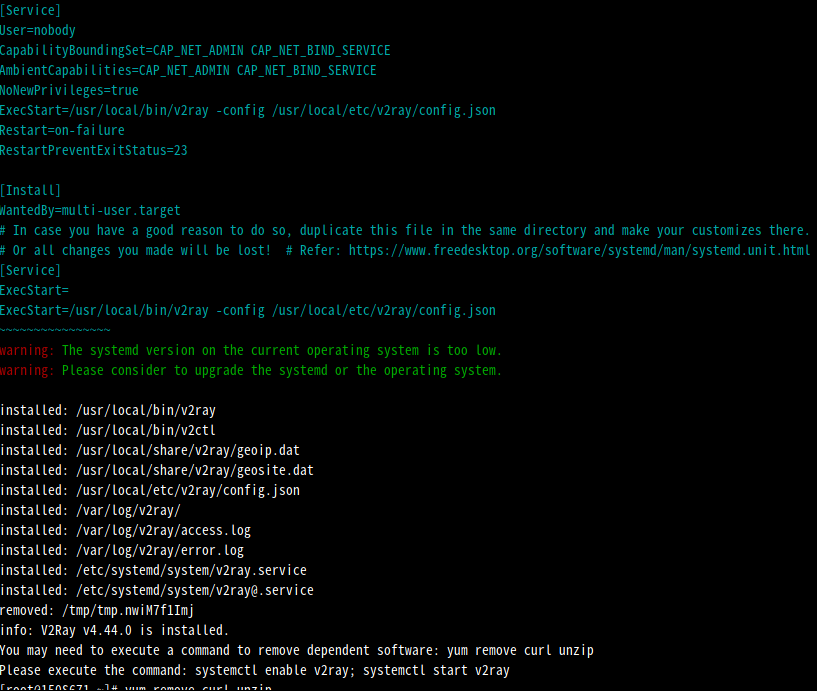
安装成功:

warning: The following are the actual parameters for the v2ray service startup.
warning: Please make sure the configuration file path is correctly set.
~~~~~~~~~~~~~~~~
[Unit]
Description=V2Ray Service
Documentation=https://www.v2fly.org/
After=network.target nss-lookup.target

[Service]
User=nobody
CapabilityBoundingSet=CAP_NET_ADMIN CAP_NET_BIND_SERVICE
AmbientCapabilities=CAP_NET_ADMIN CAP_NET_BIND_SERVICE
NoNewPrivileges=true
ExecStart=/usr/local/bin/v2ray -config /usr/local/etc/v2ray/config.json
Restart=on-failure
RestartPreventExitStatus=23

[Install]
WantedBy=multi-user.target
# In case you have a good reason to do so, duplicate this file in the same directory and make your customizes there.
# Or all changes you made will be lost! # Refer: https://www.freedesktop.org/software/systemd/man/systemd.unit.html
[Service]
ExecStart=
ExecStart=/usr/local/bin/v2ray -config /usr/local/etc/v2ray/config.json
~~~~~~~~~~~~~~~~
warning: The systemd version on the current operating system is too low.
warning: Please consider to upgrade the systemd or the operating system.

安装成功示意图